Content ops for teams starts with release discipline
Content ops for teams is the system that keeps content moving from request to release without losing proof, ownership, or measurement along the way. The useful version is not a calendar with more columns. It is a repeatable workflow that tells people what to ask for, who approves it, what must be checked before publish, and how the team learns from the URL after launch.
That matters because content problems usually start before the draft exists. A request arrives without an owner, the brief is thin, the reviewer appears late, the translation ships without route checks, or the team cannot explain why the page should have been published in the first place.
For a small team, content ops can stay lightweight. For a team that uses AI drafts, multiple channels, translations, partner review, or compliance checks, content ops becomes the difference between a stable operating model and a pile of one-off exceptions.
This guide shows the practical version of content ops for teams: what it covers, how to run it, what to automate, what to keep manual, and how to choose tools without turning the process into overhead.
What content ops for teams actually covers
Content ops for teams is broader than content planning, project management, or CMS publishing. It is the connective layer across all of them.
| Job | What it controls | What breaks when it is missing |
|---|---|---|
| Intake | Who can request content, what they must provide, and how work is prioritized | Random requests crowd out high-value work |
| Briefing | Audience, intent, proof needs, sources, CTA, and reviewer | Drafts sound plausible but cannot be verified |
| Production | Drafting, editing, design, SME review, localization, and CMS prep | Work stalls in invisible handoffs |
| Governance | Brand rules, source rules, legal/compliance gates, and AI boundaries | Risky claims reach public pages |
| Publishing QA | Metadata, canonical URL, schema, links, indexability, translation routes, and live readback | Published URLs have preventable defects |
| Measurement | URL-level traffic, clicks, conversions, and assisted pipeline | The team publishes but does not learn |
| Reuse | Approved snippets, templates, product facts, and asset metadata | Every team recreates the same explanation |
If your team only has a calendar, you have scheduling. If it also has the controls above, you have content ops.
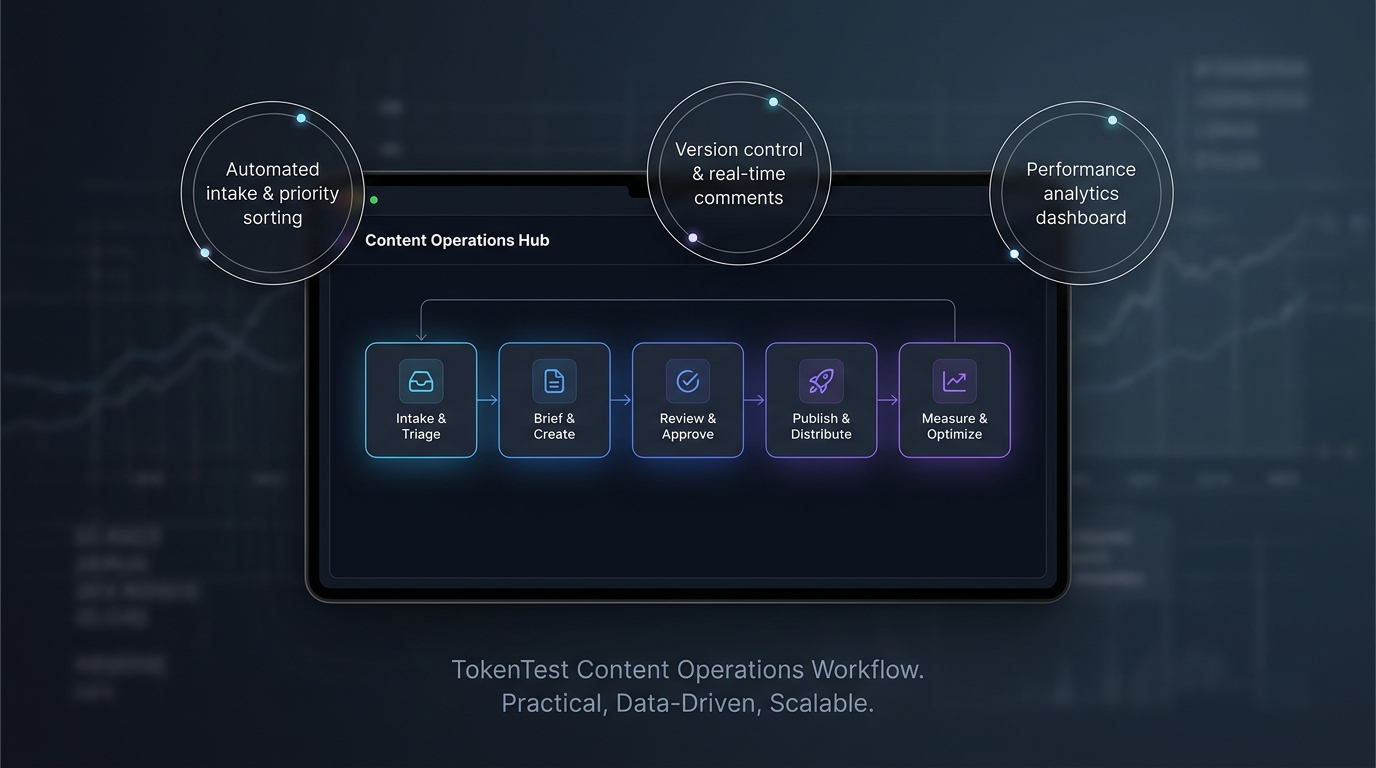
A practical content ops workflow
The simplest content ops for teams workflow has seven steps.
- Intake: capture owner, audience, goal, channel, due date, source material, and priority.
- Triage: approve, combine, defer, or reject based on duplication risk, capacity, and business value.
- Brief: define search intent, title, outline, proof needs, internal links, CTA, reviewer, schema, and measurement plan.
- Draft: write from the brief and flag anything that needs confirmation before publish.
- Review: route to the right reviewer based on risk, not on who is available first.
- Publish QA: check slug, metadata, canonical, schema, image, links, indexability, localized routes, and analytics tags.
- Measure and refresh: record launch evidence, watch indexing and click data, and schedule refreshes when search intent or product facts change.
That sequence is the core of content ops for teams. The software matters less than the evidence each step leaves behind.
What content ops tools should do
Most content ops tools fail when they become a prettier task board. Useful tools enforce the workflow.
| Team stage | Tools that usually work | Watch-outs |
|---|---|---|
| Early team, low volume | Spreadsheet, Notion, Airtable, Linear, GitHub Issues, CMS checklist | Easy to skip evidence and QA because the process feels informal |
| Growing SEO or lifecycle team | Relational content database, workflow automation, CMS integration, analytics dashboard | Can become a larger calendar if ownership is vague |
| Multi-market team | Localization workflow, route readback, translation memory, asset metadata | Localized URLs need QA, not just translated copy |
| Regulated or enterprise team | DAM, MRM, approval audit trail, rights management, compliance review | Heavy tools still fail if intake and measurement rules are weak |
| AI-assisted publishing team | Source packs, prompt/version logs, token budgets, factual QA, publishing readbacks | Faster drafting can create faster mistakes without release gates |
Use the lightest tool that can enforce the workflow you actually need.
What to automate and what to keep manual
Good content ops for teams does not automate judgment. It automates repeatable checks.
| Automate | Keep manual |
|---|---|
| Metadata presence | Positioning and narrative direction |
| Broken-link checks | Final judgment on claims and tone |
| Canonical and route checks | Legal, product, and compliance review |
| Schema validation | CTA choice for revenue-sensitive pages |
| Localization route readback | Whether the page deserves a new URL |
| Image presence and alt text | Refresh, merge, or retire decisions |
| Analytics tagging | Executive-level tradeoffs |
That split keeps content ops from becoming busywork. It also keeps AI-assisted drafts from skipping the review work that makes them safe to publish.
When content ops for teams matters
Content ops matters when volume, risk, or dependency count rises faster than informal coordination can handle.
You probably need stronger content ops if three or more of these are true:
- Writers regularly ask, "Who owns this?"
- Requests arrive without audience, proof, or source material.
- The same topic gets briefed more than once.
- Published articles need avoidable fixes to titles, canonicals, links, schema, or images.
- Localized pages go live without route validation.
- AI drafts are reviewed only for style, not factual support.
- Technical reviewers see content after most production work is already done.
- Reporting is based on total traffic, not URL-level outcomes.
If a content mistake can waste budget, create compliance exposure, delay a launch, or mislead a buyer, it deserves an operational gate.
How TokenTest teams should think about content ops
TokenTest is not a general content ops platform. Its current homepage positions it as a production-reference evaluation console for AI middle-layer buyers, and the manual frames the product around model evaluation, token evidence, safety boundaries, exports, and MCP usage.
That matters because the blog should mirror the same discipline. If the product asks users to verify model behavior before production, the content process should verify the article before publish.
For TokenTest, content ops for teams should preserve:
- The keyword cluster and search intent.
- The approved product claims and source URLs.
- The internal links and expected conversion path.
- The publishing QA evidence for source and localized routes.
- The measurement plan: indexed URL count, organic clicks, qualified signups, and assisted conversions.
That is the practical bridge between content ops and TokenTest's current public positioning.
Read the related pieces if you want the adjacent angles: What Is Content Ops and When Does It Matter?, Content Ops Comparison: What Buyers Should Check, How to Use SEO Workflow in 2026, and How to Use Blog Publishing Automation in 2026.
Bottom line
Content ops for teams is valuable when it keeps publishing traceable, verified, localized, and measurable.
Start with the workflow before the tool. Define intake, brief quality, source evidence, review gates, publishing QA, localization checks, and measurement. Then choose content ops tools that enforce those decisions.
If AI helps create the asset, content ops should prove the asset is safe to publish. That is how content ops turns speed into a repeatable system instead of another source of rework.
For the current product context, see the TokenTest Blog and the TokenTest Product Manual.