Content Ops Comparison: What Buyers Should Check
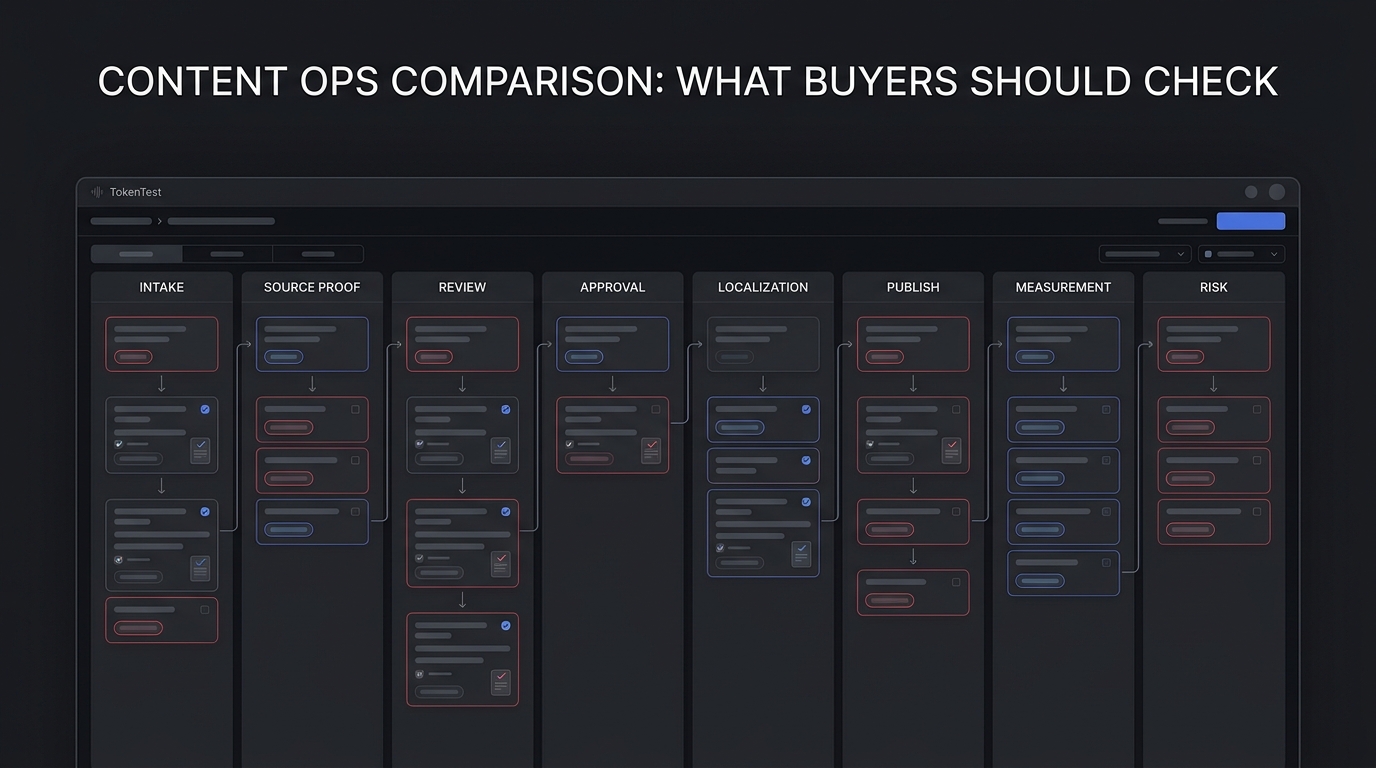
Content ops is not just a calendar, a task board, or a place to store finished assets. For a growing team, content ops is the operating system behind how an idea becomes a brief, how the brief becomes approved content, how that content reaches the right channels, and how the team proves the URL or asset was worth publishing.
That is why a content ops comparison should not start with feature grids from vendor pages. Start with the workflow you need to control.
The practical buyer question is simple: can this system reduce content rework without hiding the evidence? A useful content ops tool should make intake clearer, reviews faster, approval paths more defensible, localization less fragile, publishing more verifiable, and measurement easier to connect back to the original request.
This guide gives content, SEO, and growth teams a content ops comparison checklist they can use before buying a platform, expanding a work-management stack, or stitching together a custom workflow.
Quick Answer: What Should Buyers Check In A Content Ops Comparison?
In a content ops comparison, buyers should check eight things before they compare demos:
| Buyer Check | What To Verify | Why It Matters |
|---|---|---|
| Intake quality | Requests require audience, channel, owner, source, due date, and approval path | Weak intake creates weak briefs and expensive rewrites |
| Workflow fit | The system supports real statuses, dependencies, handoffs, and exceptions | Generic task boards often collapse under review complexity |
| Source proof | Claims, assets, examples, and product facts can be attached to the work item | Content ops needs evidence, not just assignments |
| Review and approval | Legal, brand, SEO, product, and local-market review can be routed and logged | Approval gaps create launch risk and duplicated work |
| Asset and CMS connection | Approved content can move into DAM, CMS, PIM, or publishing tools without copy-paste drift | Manual transfer is where errors enter |
| Localization | The workflow tracks source content, translation, market review, localized URLs, and parity checks | Global content ops fails when translations are treated as side tasks |
| Measurement | URLs, campaigns, assets, and outcomes are connected to the original brief | Without measurement, the team only knows that it shipped |
| Governance | Permissions, version history, audit trail, and rollback evidence are available | Buyers need control when content touches regulated or high-value channels |
If a vendor cannot show evidence for these checks inside a live or sandbox workflow, treat the claim as unproven.
What Content Ops Really Includes
Content ops is the discipline of managing the full content lifecycle: planning, creation, collaboration, review, approval, governance, distribution, and analysis. Public vendor and glossary pages describe the category in similar terms. Aprimo frames content operations around strategic planning, creation, management, optimization, workflow, collaboration, distribution, and analysis. Screendragon positions content operations around planning, briefing, creation, review, approval, localization, delivery, governance, and measurement.
That overlap is useful. It shows that content ops is broader than editorial planning and narrower than every marketing operation.
A mature content ops workflow usually includes intake, planning, creation, review, approval, distribution, localization, and measurement. The mistake is buying for only one layer. A calendar solves planning visibility. A DAM solves asset storage. A CMS solves publishing. A project management tool solves task tracking. Content ops needs a controlled path across those layers.
The Four Types Of Content Ops Tools
1. Work Management Platforms
Work management tools are useful when your main problem is visibility: who owns the work, what status it is in, what is blocked, and what is due next.
They are usually strongest for intake forms, calendar and kanban views, assignments, dependencies, cross-functional visibility, lightweight automations, and reporting dashboards.
Airtable's public content operations guide, for example, recommends structures such as content deliverables, requests, project name, priority, status, approval fields, requestor and producer fields, calendar views, kanban views, gallery views, forms, linked records, rollups, asset review, and automations.
The buyer risk is that a flexible work-management tool can look perfect in a demo but require careful design to prevent messy fields, unclear ownership, and duplicate status systems.
2. Enterprise Content Operations Platforms
Enterprise content ops platforms are useful when the workflow spans many teams, brands, regions, agencies, assets, compliance steps, or activation channels.
They are usually strongest for structured briefs, multi-stage approvals, version control, audit trails, brand and regulatory governance, localization workflows, DAM, CMS, PIM, and collaboration-tool integrations, and bottleneck reporting.
Screendragon's current product pages emphasize content planning, creation, review, approval, localization, delivery, governance, measurement, audit trails, workflow automation, AI validation, and integrations with DAM, CMS, PIM, and collaboration tools.
The buyer risk is implementation weight. These systems can be powerful, but the team should ask how quickly a real workflow can go live, who owns configuration, and how much process change is required.
3. DAM, CMS, And Content Supply Chain Suites
DAM and CMS-adjacent tools are useful when your content ops problem is tied to finished assets, metadata, omnichannel publishing, content reuse, personalization, or global delivery.
The buyer risk is confusing storage with operations. A DAM can tell people which asset is approved. It may not control how the asset got briefed, reviewed, localized, and measured. A CMS can publish a page. It may not prove the route, canonical, translation parity, and source evidence that should exist before launch.
4. AI-Assisted Content Workflow Tools
AI-assisted content workflow tools are useful when your bottleneck is brief generation, first-draft production, metadata drafting, translation, repurposing, or QA suggestions.
The buyer risk is uncontrolled output. A model can produce a draft quickly, but content ops still needs source proof, review gates, token budgets, approval logs, route validation, and measurement. AI should shorten the path through the workflow, not replace the workflow.
The Content Ops Comparison Matrix
Use this matrix during demos. Ask each vendor or internal platform owner to show the workflow, not just describe it.
| Evaluation Area | Good Enough | Strong | Red Flag |
|---|---|---|---|
| Intake | Form captures title, owner, due date, and channel | Intake captures audience, source needs, approval path, campaign, priority, locale, and measurement rule | Requests arrive by chat, email, or duplicate forms with no required fields |
| Briefing | Brief has objective and outline | Brief links source pack, ICP, search intent, product facts, examples, CTA, and constraints | The brief is free text with no proof fields |
| Workflow | Statuses map to real work stages | Dependencies, handoffs, SLAs, blocked states, and exception paths are visible | Every project is either "in progress" or "done" |
| Reviews | Reviewers can comment | Reviewers have role-specific gates and required evidence before approval | Approval happens outside the system |
| Versioning | Draft history is visible | Version history connects changes to reviewer, source, and publish payload | Nobody knows which version was approved |
| Localization | Translation tasks exist | Source, localized copy, market reviewer, localized route, hreflang, and parity checks are tracked | Translation is handled after source publish with no route checks |
| Publishing | Final copy can be handed to CMS | Publish payload, asset URL, canonical, schema, and public readback are verified | CMS paste is manual and unverifiable |
| AI controls | AI can draft text | AI use has source constraints, human review, token/cost budget, and change log | AI output bypasses source and approval rules |
| Reporting | Dashboards show task status | Reports show cycle time, bottlenecks, shipped URLs, indexed URLs, clicks, conversions, and refresh needs | Reporting stops at "content shipped" |
| Governance | Permissions exist | Role permissions, audit trail, rollback, expiration, compliance evidence, and access reviews are clear | Admin access is broad and unmanaged |
The strongest content ops comparison is not "which product has the most features?" It is "which system can show the evidence trail from request to measurable result?"
Questions To Ask During A Content Ops Demo
- Can you show a real intake request becoming a brief, draft, reviewed asset, approved publish package, and measured URL?
- Which fields are required before work can move to the next stage?
- Can a reviewer block publish because source proof, legal approval, alt text, schema, or localization is missing?
- Can we see who approved the current version and what changed after approval?
- How does the system handle duplicated requests or overlapping topics?
- How are approved assets connected to the copy and final public route?
- How does localization inherit source metadata without copying mistakes into every market?
- Can the system validate public URLs after publish, including HTTP status, canonical, noindex, hreflang, and image rendering?
- What happens when AI drafts or translates content? Where are the source constraints and review logs stored?
- Can we report on cycle time, approval bottlenecks, indexed URLs, organic clicks, assisted conversions, and refresh candidates?
If the answer requires a services team, a custom script, or a manual spreadsheet, that may still be fine. Just price it honestly as part of the implementation.
Build Vs Buy: When A Simple Stack Is Enough
You may not need a dedicated content ops platform yet. A simple stack can be enough when the content team is small, the workflow has fewer than three reviewer groups, most content publishes to one CMS and one language, legal or regulatory review is rare, asset reuse is limited, and measurement can be handled from a simple URL inventory.
A dedicated content ops platform becomes more valuable when many teams request content, review paths differ by asset type or region, localization is frequent, brand or compliance mistakes are expensive, agencies are involved, asset reuse matters, and leadership needs cycle-time, throughput, and impact reporting.
The right buying moment is not "we need a better calendar." It is "our content workflow has become too important to run on undocumented handoffs."
The AI Buyer Trap In Content Ops
AI has made content ops more urgent, not less. Without controls, AI can increase the volume of briefs, drafts, translations, metadata, and refresh ideas faster than reviewers can validate them. The result is not better content ops. It is a bigger review queue.
| AI Control | Buyer Requirement |
|---|---|
| Source constraint | The model should use approved source packs, product facts, and examples |
| Token and cost budget | Long briefs, translation batches, and multi-model review should have request budgets |
| Human approval | AI-generated claims, comparisons, and translations should not publish without review |
| Release evidence | The workflow should store the final article, asset URL, public readback, and measurement plan |
This is where TokenTest's own content workflow has a useful bias: treat AI content and publishing automation like release software. Drafts are not enough. A production workflow needs source checks, token budgets, route evidence, localization checks, and URL-level measurement.
A Practical Content Ops Selection Scorecard
Score each candidate from 1 to 5. Do not score from the sales deck. Score from a real workflow walkthrough.
| Criterion | Weight | What A 5 Looks Like |
|---|---|---|
| Intake and brief quality | 10% | Required fields produce a complete brief without a cleanup meeting |
| Workflow and approvals | 15% | Role-based review paths, blocked states, comments, versioning, and final signoff are clear |
| Source and claim evidence | 15% | Sources, product facts, examples, and reviewer decisions are attached to the work item |
| Asset and CMS integration | 10% | Approved assets and final content move cleanly into publish systems |
| Localization support | 10% | Source and localized workflows include market review, URL checks, and parity evidence |
| AI controls | 10% | AI drafts are constrained by source packs, budgets, and human approval |
| Reporting and measurement | 15% | The system connects work to live URLs, status, clicks, conversions, and refresh decisions |
| Governance and auditability | 15% | Permissions, audit trail, approval history, rollback, and compliance evidence are usable |
Then add one implementation score: time to first workflow, admin burden, change management, data migration, and exit risk. The best content ops tool is not always the biggest platform. It is the smallest system that can preserve the evidence your team needs as content volume, channels, reviewers, and AI usage grow.
Recommended Buying Workflow
- Pick one representative content type.
- Write the real workflow.
- Define pass/fail gates.
- Run every candidate through the same scenario.
- Capture evidence.
- Score with the matrix.
- Run a pilot.
For growth teams, the content ops comparison should end with a workflow decision, not a generic tool preference. Which system makes it easiest to produce useful content, prove it was ready to publish, and learn whether it worked?
Final Takeaway
Content ops buyers should check the evidence path before they check the feature list.
A strong content ops system makes the full journey visible: request, brief, source proof, review, approval, localization, publish, readback, measurement, and refresh. A weak system makes content look organized while leaving the risky work in chat, spreadsheets, and memory.
If your team is evaluating content ops tools, bring one real workflow to the comparison. Ask each option to prove how content moves from idea to measurable output. That is the fastest way to separate a polished demo from an operating system your team can trust.
For teams using AI in the workflow, add one more rule: content ops should make automated output easier to verify, not easier to publish blindly.