Technical SEO Automation Metrics That Actually Matter
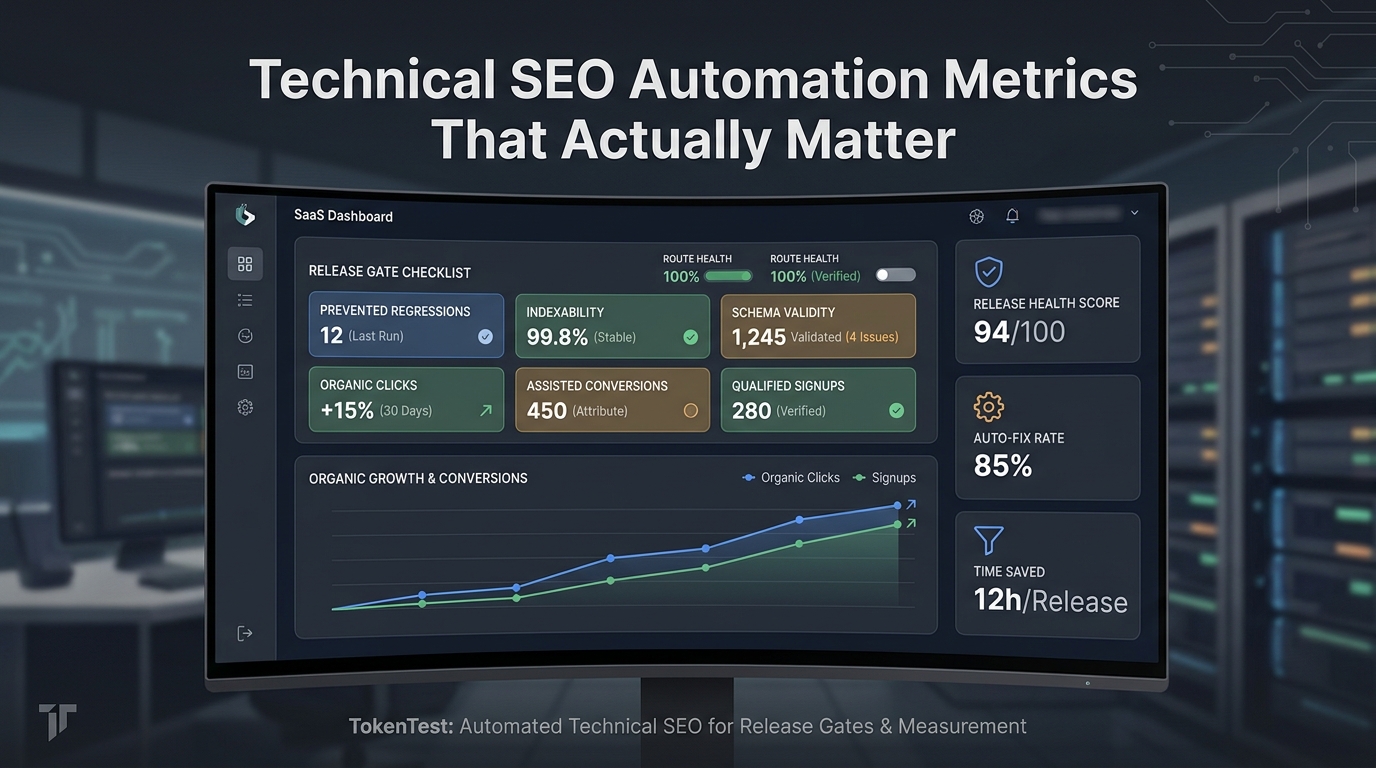
Technical SEO automation is only useful when it changes decisions. A crawler can produce thousands of warnings. A CMS rule can block a publish. A dashboard can show a rising issue count. None of that proves the automation is protecting organic traffic, keeping pages indexable, or helping the team recover faster.
The better question is: which metrics show that technical SEO automation reduced release risk and improved search outcomes?
This guide gives growth, engineering, and content teams a practical measurement model for technical SEO automation. It separates release-protection metrics from search metrics, workflow metrics, and business metrics so your team can see what actually matters after an automated check runs.
Quick Answer: Measure Outcomes, Not Alert Volume
The most useful technical SEO automation metrics are:
- priority URL pass rate before release;
- source and localized route readback pass rate;
- crawlability and indexability failures caught before publish;
- canonical, redirect, robots, and sitemap drift;
- structured data validity by template;
- time from detection to owner assignment;
- time from fix to validation;
- recurrence rate for the same template issue;
- organic clicks, impressions, and CTR by URL group;
- indexed URL count for important page groups;
- qualified signups and assisted conversions from affected URLs.
The least useful metrics are raw alert count, pages crawled, automated fixes applied, and generic site health scores with no URL priority, business context, or validation evidence.
Why Technical SEO Automation Metrics Go Wrong
Most technical SEO automation programs start with detection. That is reasonable. Teams want to catch missing titles, broken links, unexpected redirects, invalid schema, slow templates, missing canonicals, and blocked pages.
The problem is that detection metrics reward noise.
A tool that finds 3,000 warnings can look more valuable than a workflow that prevents one high-impact canonical regression before release. A weekly crawl with a large issue count can feel productive even when the same template problem keeps returning. A health score can rise while important pages still lack measurement or conversion attribution.
Good technical SEO automation should answer four questions:
| Measurement layer | Question it answers | Example metrics |
|---|---|---|
| Release protection | Did automation prevent technical regressions before users and crawlers saw them? | pre-release pass rate, blocked publish count, validation evidence |
| Search visibility | Did priority URLs stay discoverable, crawlable, indexable, and clickable? | indexed URL count, impressions, clicks, CTR, page/query deltas |
| Workflow quality | Did the team assign, fix, and validate issues faster? | time to owner, time to validation, recurrence rate |
| Business impact | Did protected URLs contribute to qualified outcomes? | qualified signups, assisted conversions, demo starts, trial starts |
If a metric cannot change a release, refresh, consolidation, or instrumentation decision, it belongs in a secondary report.
The Metrics Map for Technical SEO Automation
Use this as a starting scorecard. Do not track everything at once. Pick the metrics that match the failure mode your site is most likely to suffer.
| Metric | What it proves | Source of truth | Use it when |
|---|---|---|---|
| Priority URL pass rate | Important URLs meet required technical checks before release | CI, CMS QA, crawl/readback job | You publish or deploy often |
| Route readback pass rate | Source and localized URLs return the expected public status and page content | HTTP checks, rendered HTML checks | You run a blog, docs site, or multilingual content program |
| Indexability failure count | Pages were not accidentally blocked, noindexed, redirected, or canonicalized incorrectly | crawl data, rendered HTML, headers | Template changes can affect many URLs |
| Sitemap inventory delta | Important URLs appear, disappear, or change unexpectedly in sitemap files | sitemap monitor, CMS export | You publish at scale or maintain localized pages |
| Structured data validity | JSON-LD or other structured data remains valid and page-appropriate | Rich Results Test, schema validator, rendered HTML | Your templates include article, product, FAQ, or other schema |
| Broken internal links on priority paths | Important pages can still be reached and do not point to dead destinations | crawler, link graph, CMS export | You refresh, migrate, or localize content |
| Time to owner assignment | Automation routes the issue to someone who can fix it | issue tracker, incident log | SEO, content, and engineering share ownership |
| Time to validation | Fixes are proven after deployment, not only marked done | crawl/readback rerun, CI evidence | Regressions recur or fixes are hard to trust |
| Recurrence rate | The same issue is being eliminated or merely rediscovered | issue log grouped by template/root cause | Alert fatigue is growing |
| Organic clicks by URL group | Search traffic changed for the pages affected by automation | Google Search Console | You need to connect checks to visibility |
| Assisted conversions by article or URL group | SEO pages are helping signups or other qualified actions | analytics and attribution model | SEO must support pipeline or product-led growth |
Google's own guidance is useful here because Search Console and Google Analytics answer different questions. Search Console reports how a site performs in Google Search, including impressions, clicks, queries, and pages. Google Analytics reports what visitors do after they land, such as which pages they visit and which actions they take. Technical SEO automation metrics should connect both views instead of treating either one as complete on its own.
Metric 1: Priority URL Pass Rate
Priority URL pass rate is the percentage of important URLs that pass required technical checks before release.
It is more useful than a sitewide health score because it respects business priority. A missing meta description on an old low-traffic tag page is not the same as a broken canonical on a comparison page that supports signups.
Start with URL groups:
- homepage and core product pages;
- docs and integration pages;
- comparison and bottom-of-funnel pages;
- newly published blog articles;
- localized pages;
- pages with organic conversions or assisted conversions;
- pages that recently changed template, CMS, route, or schema behavior.
Then define required checks by group. A blog article may need a 200 route, one canonical target, one H1, title and meta tags, author/date metadata, Article schema, public cover image, internal links, and analytics instrumentation. A product page may need different schema, conversion events, and stricter release approval.
The metric becomes simple:
priority_url_pass_rate = priority_urls_passing_required_checks / priority_urls_checkedTrack the failures by URL group, template, owner, and release. That is what turns technical SEO automation into release control.
Metric 2: Route Readback Pass Rate
Route readback pass rate measures whether published URLs actually render as expected after the CMS or deployment pipeline runs.
This matters because many SEO failures happen after content leaves the draft. The CMS accepts the payload, but the route returns 404. The English article publishes, but the localized route does not. The cover image uploads, but the public page points to a broken asset. The canonical is correct in the payload, but wrong in rendered HTML.
A useful readback check verifies:
- HTTP status is 200;
- the rendered title and meta description match the approved payload;
- the canonical URL is expected;
- exactly one main H1 appears;
- no unexpected page-level or header-level noindex is present;
- the cover image is public and has useful alt text;
- internal links render on the public page;
- localized URLs return 200 and point to the right language route.
For multilingual publishing, do not report success only because the source language shipped. Track source pass rate and localized pass rate separately.
Metric 3: Crawlability and Indexability Failures Caught Before Publish
Technical SEO automation should catch the failures that can remove a page from discovery or weaken ranking signals.
Track issues like:
- unexpected robots blocks;
- unexpected
noindex; - incorrect
x-robots-tagheaders; - canonical drift;
- redirect chains or loops;
- pages returning 404, 410, 5xx, or soft-404-like content;
- important internal links becoming uncrawlable;
- pages omitted from expected sitemap groups.
Be precise with terminology. Google documents robots.txt as a way to manage crawler access. It is not the same thing as a noindex directive. If your reports blur "blocked from crawling" and "excluded from indexing," your automation can create false confidence.
The useful metric is not "number of crawl issues found." The useful metric is "number of priority crawl/indexability failures caught before release, grouped by root cause."
Metric 4: Sitemap Inventory Delta
A sitemap helps search engines understand which pages and files are important, and it can include information such as last modified date and alternate language versions. That makes sitemap monitoring a practical technical SEO automation metric for content and docs sites.
Track sitemap changes at the group level:
| Sitemap signal | Good question to ask |
|---|---|
| New URLs added | Did every newly published canonical URL appear where expected? |
| URLs removed | Were removed URLs redirected, retired intentionally, or dropped by mistake? |
| Last modified changes | Did a template update rewrite dates for many pages unexpectedly? |
| Localized URL coverage | Do source and localized pages remain aligned? |
| Count swings | Did a release add or remove more URLs than planned? |
Do not treat sitemap inclusion as proof that a URL is indexed. Google explicitly notes that a sitemap can help discovery but does not guarantee that every listed item will be crawled or indexed. Use sitemap data as inventory evidence, then connect it to crawl, index, and Search Console data.
Metric 5: Structured Data Validity by Template
Structured data gives search engines explicit clues about the meaning of a page. It is also easy to break when templates change.
Track structured data at the template level:
- valid JSON-LD parse rate;
- required and recommended fields by page type;
- schema type matches visible page content;
- URL, image, author, date, and language fields are current;
- localized pages do not carry stale source-language fields;
- schema changes are reviewed before release.
Do not let automation invent structured data facts. Google's structured data documentation says structured data should describe the content on the page where it appears. If the page does not visibly support a field, the markup should not contain it.
The metric that matters is "valid schema on priority templates after each release," not "schema exists somewhere on the page."
Metric 6: Time From Detection to Validated Fix
Automation is not working if it finds the same issue every week and no one owns the fix.
Measure the workflow:
| Workflow metric | What to record |
|---|---|
| Detection time | When the automation first saw the issue |
| Triage time | When someone decided whether it mattered |
| Owner assignment time | Who is responsible for fixing it |
| Fix shipped time | When the patch or CMS update went live |
| Validation time | When a rerun proved the issue was fixed |
| Recurrence flag | Whether the same issue returned later |
This is especially important for cross-functional SEO work. Engineering may own route logic. Content may own titles and internal links. Growth may own conversion tracking. A good automation metric should route the issue to the right owner instead of creating a general warning that everyone ignores.
Metric 7: Recurring Template Issues Eliminated
Recurring template issues are one of the clearest signs that technical SEO automation is moving from reporting to prevention.
Track root causes, not just URLs:
- blog template dropped canonical field;
- docs template rendered duplicate H1s;
- localization workflow published source-language metadata;
- image upload step returned a private URL;
- CMS category mapping changed;
- schema component emitted stale dates;
- route middleware redirected trailing-slash variants incorrectly.
When the same root cause appears multiple times, the next action should be a template test, CMS validation rule, or CI gate. The metric becomes the number of recurring issues eliminated, not the number of recurring issues rediscovered.
Metric 8: Organic Clicks, Impressions, and CTR by URL Group
Technical SEO automation protects visibility, but the search result still has to earn attention. That is why Search Console metrics belong in the scorecard.
Track at the URL-group level:
- impressions;
- clicks;
- CTR;
- average position;
- top queries by page;
- affected URLs after a release or technical fix;
- query/page combinations that changed after a template update.
Do not over-interpret one day of Search Console movement. Use it to decide where to inspect, not to prove causality from a single event. Pair it with release logs, crawl checks, route readbacks, sitemap changes, and analytics data.
For a new article, the practical first-pass measurement window is usually simple:
- Confirm the public route works.
- Confirm the URL is discoverable through internal links and sitemap/feed paths.
- Watch impressions and clicks once Search Console data is available.
- Compare engagement and conversion behavior in analytics.
- Decide whether the article needs internal links, refresh work, consolidation, or conversion improvements.
Metric 9: Qualified Signups and Assisted Conversions
For TokenTest-style SEO, a page is not successful only because it attracts broad traffic. The approved content strategy centers on qualified developer signups: AI engineers, founding engineers, backend engineers, technical founders, and engineering managers who are likely to evaluate a CLI, GitHub Action, or production LLM testing workflow.
That changes the measurement model.
For technical SEO automation content, track:
- organic clicks to the article URL;
- clicks from the article to product, manual, or blog pages;
- starts of the TokenTest evaluation workflow;
- qualified signups or waitlist joins;
- assisted conversions where the article was one touch in a longer path;
- return visits from technical content readers;
- internal-link paths from TOFU articles to higher-intent pages.
This is where Google Analytics and Search Console should be read together. Search Console can tell you which queries and pages brought search users. Analytics can tell you what those users did after landing.
What Not to Use as the Main Scorecard
Some metrics are useful diagnostics but poor executive or team goals.
| Vanity or noisy metric | Why it is weak | Better replacement |
|---|---|---|
| Total alerts | Rewards noisy checks | Priority failures by URL group |
| Pages crawled | Measures coverage, not value | Priority URL coverage and pass rate |
| Generic health score | Hides issue severity | Required checks by template and funnel stage |
| Automated fixes applied | Can reward risky changes | Validated fixes and recurrence reduction |
| AI drafts published | Measures output volume | Published URLs with route, source, and measurement evidence |
| Average sitewide issue count | Mixes important and unimportant pages | Weighted issue count by URL priority |
Automation should make the release system calmer, not louder.
A 30-Day Measurement Workflow
Use this workflow before expanding technical SEO automation across the whole site.
- Pick 50 to 200 priority URLs.
- Group them by template, funnel stage, language, and owner.
- Define required checks for each URL group.
- Run a baseline crawl, rendered HTML check, sitemap check, and route readback.
- Record known issues, owners, and expected fixes.
- Add release gates only for deterministic, high-impact failures.
- Run scheduled checks after each publish or deployment.
- Validate fixes with the same checks that detected the issue.
- Review Search Console page/query data once it is available.
- Review analytics conversions and assisted conversions by URL group.
- Convert repeated issues into template tests or CMS rules.
- Retire checks that keep producing noise without changing decisions.
This creates a practical technical SEO automation loop: detect, prevent, validate, measure, and improve.
If you are still defining the operating model, start with TokenTest's guide to what technical SEO automation is and when it matters. If you are comparing vendor categories, use the technical SEO automation tools evaluation framework alongside this metrics scorecard.
Example Dashboard Fields
A useful dashboard does not need to be complicated. It needs to show evidence and ownership.
| Field | Example |
|---|---|
| URL group | Blog articles, English |
| Template | Blog post template |
| Funnel stage | Top of funnel |
| Required checks | 200 status, canonical, title, meta, H1, Article schema, image, internal links |
| Current pass rate | 48 of 50 priority URLs passing |
| New failures | 2 canonical mismatches |
| Owner | Web platform |
| First seen | 2026-09-10 |
| Fix status | In review |
| Validation status | Waiting for rerun |
| Search impact | Monitor affected URLs in Search Console |
| Business impact | Check assisted signup path in analytics |
The dashboard should also keep a decision log. If the team accepts a temporary failure, changes an alert threshold, or delays a fix, the reason should be visible later.
Where TokenTest Fits
TokenTest is not a crawler or generic SEO audit suite. The live homepage positions TokenTest as a black-box production-reference evaluation console for model access risk before production. The product manual describes evaluation around model capability, protocol integrity, output discipline, token metering credibility, safety robustness, stability, reports, and exports.
That matters when technical SEO automation includes AI-generated briefs, AI-assisted drafts, AI localization, metadata generation, or agentic publishing workflows.
For those workflows, technical SEO automation should measure both the page and the chain that produced it:
- Was the generated content grounded in approved sources?
- Did the prompt stay within a usable token budget?
- Did the model return the required structure?
- Did source and localized routes publish correctly?
- Did the workflow preserve evidence for later review?
- Did the article connect to Search Console, analytics, and conversion tracking?
TokenTest-style verification is useful when the AI step itself needs proof. A crawl can show whether the final page is reachable. A verification layer can help show whether the AI workflow behaved predictably enough to trust in a release process.
For a broader release model, pair these metrics with a content publishing QA workflow. If prompt length or AI workflow cost is part of the risk, add token budget planning before scaling the automation.
Final Takeaway
Technical SEO automation should not be judged by how many checks it runs. It should be judged by whether important pages remain crawlable, indexable, measurable, and tied to business outcomes after releases.
The best technical SEO automation scorecard is small and hard to fake: priority URL pass rate, route readback pass rate, indexability failures caught before release, schema validity by template, time to validated fix, recurrence reduction, organic clicks, indexed URL count, qualified signups, and assisted conversions.
Start with the metrics that change decisions. Everything else can stay in the diagnostic layer.
FAQ
What is the best metric for technical SEO automation?
The best starting metric is priority URL pass rate. It shows whether important URLs pass required technical checks before release instead of hiding failures inside a generic sitewide score.
How should technical SEO automation connect to Search Console?
Use Search Console to monitor impressions, clicks, CTR, average position, and query/page movement for affected URL groups. Pair that data with crawl, sitemap, route readback, and release logs before drawing conclusions.
Should I track indexed URL count?
Yes, but track indexed URL count by important page group. A stable or rising count can be useful when the right pages are indexed. A rising count can be harmful if automation is creating thin, duplicate, or unintended URLs.
Are total SEO issue counts useful?
Total issue counts are useful for diagnostics, but weak as a primary metric. They mix important and unimportant pages, reward noisy tools, and do not prove that releases are safer.
How do I measure assisted conversions from SEO automation?
Tag article URLs and conversion events in analytics, then review whether organic visitors who land on affected URLs later start evaluations, join a waitlist, request a demo, or take another qualified action. Treat the article as one touch in the path, not always the final click.