How to Build a Token-Aware Prompt Review Process
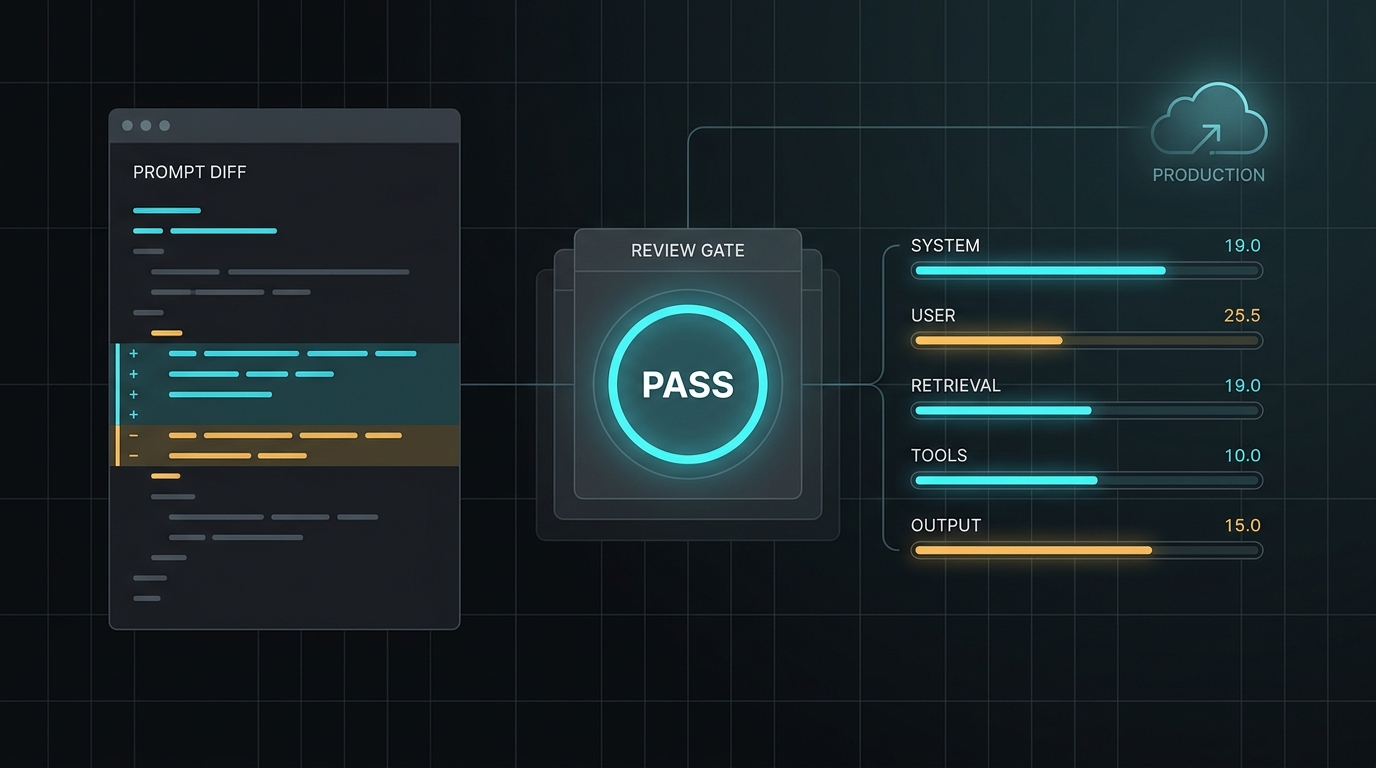
A prompt review can approve the wording and still miss the production risk.
The revised instructions may be clearer, but they may also add thousands of tokens once the application inserts conversation history, retrieved documents, tool schemas, output rules, and multilingual content. A model change can alter tokenization. A small prompt diff can reduce the room available for the answer. An API gateway can report usage differently from the provider you tested directly.
A token-aware prompt review process catches those problems before a prompt reaches production. It treats token usage as a reviewable engineering property alongside correctness, safety, latency, and cost.
The goal is not to make every prompt as short as possible. The goal is to preserve the instructions that improve task performance while proving that the final request fits its budget and that the live endpoint reports believable usage.
What makes a prompt review token-aware?
A normal prompt review asks questions such as:
- Are the instructions clear?
- Does the model return the required format?
- Are edge cases covered?
- Did the change improve the output?
A token-aware review adds another set of questions:
- What exact request will the model receive after all application wrappers are added?
- How many tokens belong to the system prompt, user input, retrieval, tools, and output reserve?
- Did this change introduce a token regression?
- Does the request still leave enough room for a complete answer?
- Do English, Chinese, and other localized versions fit the same operating budget?
- Does the target endpoint report input, output, cache, and reasoning usage consistently?
These are release questions, not copy-editing questions.
Step 1: Review the final request, not the prompt fragment
The most common token-counting mistake is reviewing only the text that changed.
An application may send much more than the visible prompt:
final request
= system and policy instructions
+ user message
+ conversation history
+ retrieved context
+ tool definitions
+ response schema
+ application wrapper
If a reviewer counts only the system prompt, the result can materially understate the real input.
Build a representative request fixture before review. It should include the same message roles, tools, retrieval format, structured-output schema, and wrapper fields used in production. Use realistic long inputs rather than a one-sentence happy path.
For retrieval-augmented generation, maintain at least three fixtures:
- Typical: a normal request with average retrieval volume.
- Heavy: a long but valid request near the expected operating ceiling.
- Adversarial: repetitive, multilingual, poorly segmented, or tool-heavy input that can expose prompt bloat.
The fixture becomes the unit under review. The edited prompt is only one component.
Step 2: Split the token budget by component
A single total is useful, but it does not tell a reviewer what changed or what can be reduced.
Use a component budget:
request budget
= system instructions
+ user input
+ conversation history
+ retrieved context
+ tool and schema overhead
+ reserved output
+ safety buffer
Track the parts in a table like this:
| Component | Baseline | Proposed | Delta | Review rule |
|---|---|---|---|---|
| System instructions | 1,180 | 1,340 | +160 | Explain any increase above 10% |
| User fixture | 620 | 620 | 0 | Use the same fixture |
| Retrieval | 3,400 | 3,400 | 0 | Cap by relevance |
| Tool schemas | 1,050 | 1,260 | +210 | Remove unused fields and tools |
| Output reserve | 1,500 | 1,500 | 0 | Do not spend this on input |
| Safety buffer | 800 | 800 | 0 | Keep explicit headroom |
| Total planned | 8,550 | 8,920 | +370 | Require reviewer sign-off |
The numbers above are an example, not a universal limit. Set thresholds from your own model, request shape, quality target, and cost envelope.
This breakdown prevents a common failure: approving a longer input because it still fits today, even though it quietly consumes the output reserve needed for complete answers.
Step 3: Count with the target model's method
Tokenization is model-specific. Character count, word count, and file size can help with rough screening, but they are not substitutes for the tokenizer or token-counting method used by the target model.
Current provider workflows differ:
- OpenAI documents both local counting with
tiktokenfor supported encodings and API-side input counting for Responses API request bodies. - Anthropic provides a token-counting endpoint for Messages requests so teams can estimate input before generation.
- Google documents
countTokensfor Gemini requests and returns runtime usage metadata after generation.
Do not turn those differences into one permanent conversion formula. A prompt can tokenize differently after a model, provider, message format, tool schema, or language change.
Store the following with every review result:
- provider and endpoint,
- requested model ID,
- returned model ID when available,
- tokenizer or count method,
- fixture version,
- input-token estimate,
- output-token reserve,
- timestamp.
This makes the count reproducible instead of anecdotal.
For related token-counting and prompt-budgeting guides, browse the TokenTest blog.
Step 4: Review the token diff, not only the new total
A reviewer should see the token impact next to the text diff.
For each prompt change, report:
baseline input tokens: 7,050
proposed input tokens: 7,420
absolute delta: +370
percentage delta: +5.25%
output reserve: 1,500
budget status: pass
Then explain the cause:
- duplicated policy language,
- a new example,
- expanded JSON schema,
- additional tools,
- longer retrieved context,
- localization expansion,
- or an application wrapper change.
The explanation matters because not every increase is bad. A 5% increase that fixes a costly classification error may be justified. A 5% increase caused by repeating the same rule in three places is prompt debt.
Adopt two thresholds:
- Warning threshold: requires an explanation in the pull request.
- Failure threshold: blocks the change unless the budget owner approves it.
Use both an absolute and percentage threshold. Percentage-only rules can overreact to tiny prompts, while absolute-only rules can hide meaningful growth in smaller workflows.
Step 5: Protect output headroom
Input tokens and output tokens compete for the request's available context. Some model families may also use reasoning or other non-visible tokens that affect context and usage accounting.
That means “the input fits” is not a sufficient pass condition.
Define an output contract:
- expected answer length,
- maximum answer length,
- required JSON or tool-call structure,
- minimum information that must be present,
- acceptable stop reasons,
- reserve for reasoning or non-visible output where relevant.
Then test whether the longest valid input can still produce a complete response.
If a prompt change spends 800 more input tokens, do not silently subtract those tokens from the answer. Either reduce another component, increase the approved budget when the model permits it, or show that the smaller output reserve still passes quality tests.
The context window planning guide provides a fuller budgeting model for retrieval, tools, reasoning, output, and safety margin.
Step 6: Test multilingual prompt variants separately
Translated prompts do not have guaranteed token parity.
English and Chinese can differ in token usage even when they express the same instruction. The direction and size of the difference depend on the exact text and tokenizer, so a global “characters divided by four” rule is not reliable.
Treat each production language as its own fixture:
| Check | English | Chinese |
|---|---|---|
| System prompt tokens | Measure | Measure |
| Typical user input | Measure | Measure |
| Heavy user input | Measure | Measure |
| Retrieval template | Measure | Measure |
| Tool and schema overhead | Measure | Measure |
| Output reserve | Validate | Validate |
Review localization for behavior as well as count. A shorter translation that weakens a safety rule is not an optimization.
For more detail, read Why Chinese Prompts Can Use Different Token Budgets Than English Prompts.
Step 7: Validate estimates against the live endpoint
Local counting and provider counting answer a preflight question: how large is this request likely to be?
The production endpoint answers a second question: what usage does the system actually report?
Run the approved fixtures against the endpoint and compare:
- estimated versus reported input tokens,
- visible output versus reported output tokens,
- total-token consistency,
- cache-related fields when caching is expected,
- reasoning or thought-related fields when the endpoint claims support,
- stop reason and token-limit behavior,
- requested model versus returned model.
This is where TokenTest is useful. TokenTest describes itself as a production-reference evaluation console for testing model capability, route protocol, token usage, safety boundaries, and channel reliability. Its current checks include usage integrity, cache-token evidence, thinking or reasoning tokens, token-total consistency, input monotonicity, tokenizer behavior, truncation, and max-output boundaries.
That gives reviewers a way to verify more than a local estimate. It helps test whether an OpenAI-compatible endpoint, relay, or gateway behaves consistently enough to trust before release.
Step 8: Make the review repeatable in CI
A manual review is a good start. A versioned check is better.
Store these files with the prompt:
prompts/
  support-classifier.md
fixtures/
  support-classifier.typical.json
  support-classifier.heavy.json
  support-classifier.zh.json
budgets/
  support-classifier.json
An example budget file:
{
  "workflow": "support-classifier",
  "model": "target-model-id",
  "warning_delta_percent": 5,
  "failure_delta_percent": 12,
  "max_input_tokens": 9000,
  "reserved_output_tokens": 1500,
  "required_checks": [
    "typical",
    "heavy",
    "zh"
  ]
}
Your CI check should fail when a required fixture is missing, the count method changes without review, the input budget is exceeded, or the output reserve is reduced below the approved value.
It should also save the baseline and proposed results as artifacts. That lets a reviewer investigate a regression instead of receiving an unexplained red status.
A prompt review example you can test in TokenTest
Use the following pair as a baseline and proposed prompt in a TokenTest endpoint test. Keep the user message and model constant, then compare usage and completion behavior.
Baseline prompt
You classify support requests.

Return JSON with:
- intent
- urgency
- needs_human

User message:
"I was charged twice, and the second charge is still pending."
Proposed prompt
You classify support requests for a subscription software company.

Rules:
1. Return valid JSON only.
2. Use one intent: billing, access, bug, cancellation, or other.
3. Set urgency to high when the user reports duplicate charges, account lockout, or data loss.
4. Set needs_human to true for payment disputes, threats, or requests involving legal action.
5. Do not provide financial or legal advice.

Return:
{
  "intent": "billing|access|bug|cancellation|other",
  "urgency": "low|medium|high",
  "needs_human": true,
  "reason": "one sentence under 20 words"
}

User message:
"I was charged twice, and the second charge is still pending."
Do not ask only whether the proposed version uses more tokens. Ask whether the added instructions improve consistency enough to justify the increase and whether the output reserve still holds.
Multilingual variant
你负责对订阅制软件的客服请求进行分类。

规则:
1. 只返回有效 JSON。
2. intent 只能是 billing、access、bug、cancellation 或 other。
3. 如果用户提到重复扣费、账号锁定或数据丢失,将 urgency 设为 high。
4. 如果涉及付款争议、威胁或法律行动请求,将 needs_human 设为 true。
5. 不提供金融或法律建议。

用户消息:
“我被重复扣费,第二笔费用目前仍显示处理中。”
Count and run this version separately. Do not infer its budget from the English result.
Token-aware prompt review checklist
Use this checklist in a pull request or release review:
Request construction
- The test uses the final production request shape.
- System, user, history, retrieval, tools, schema, and wrappers are included.
- Typical, heavy, and adversarial fixtures are versioned.
Counting and budget
- Counts use the target model's supported method.
- Baseline, proposed, absolute delta, and percentage delta are visible.
- Each component has an explicit budget.
- Output headroom and safety buffer remain intact.
Quality and localization
- The change passes task-quality checks, not only token checks.
- Every production language is measured separately.
- Shortening did not remove necessary instructions or examples.
Endpoint validation
- Estimated and reported usage are compared.
- Cache, reasoning, total, stop, and model fields are inspected when applicable.
- Unexpected usage differences are explained before approval.
Final rule: review prompt changes like code changes
A prompt is part of the application. Its token footprint affects cost, latency, context fit, and the space available for a correct answer.
A strong token-aware prompt review process therefore does four things:
- Builds the exact request the model will receive.
- Measures component budgets and token deltas with the target model's method.
- Protects output headroom and tests every production language.
- Validates the approved fixtures against the live endpoint.
Start with one high-volume prompt. Save a baseline, define a warning threshold, add a heavy fixture, and run it through TokenTest before the next release. Once the team can see prompt-token regressions in review, token budgeting becomes a repeatable engineering control instead of a last-minute estimate.